What are the technical requirements?
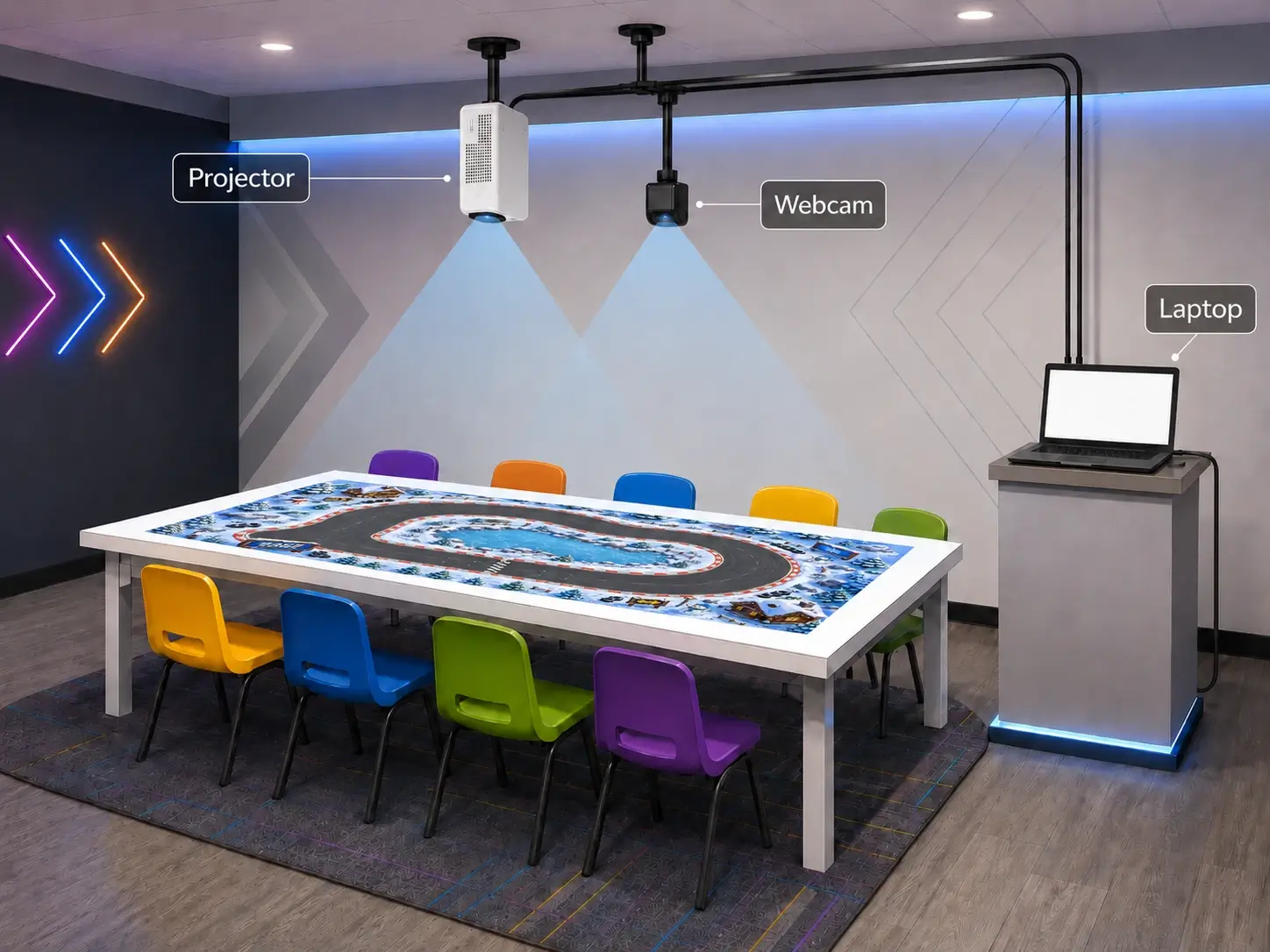
Computer: Windows 10 or 11, Intel Core i5 8th gen or newer or equivalent AMD, 8GB RAM minimum, NVIDIA GTX 1660 or better or AMD RX 5500 XT or better.
Projector: Minimum 3000 lumens, native 1080p 16:9. Recommended brands include BenQ, Optoma, and Epson.
Camera: 60fps webcam in well-lit rooms.
Do you offer a free trial?
To ensure every paying customer gets the support and attention they deserve, we do not offer a free trial. Every purchase is backed by a 30-day money back guarantee.
What support do you offer?
Email support for the first year plus free updates and bug fixes.
What type of table do I need?
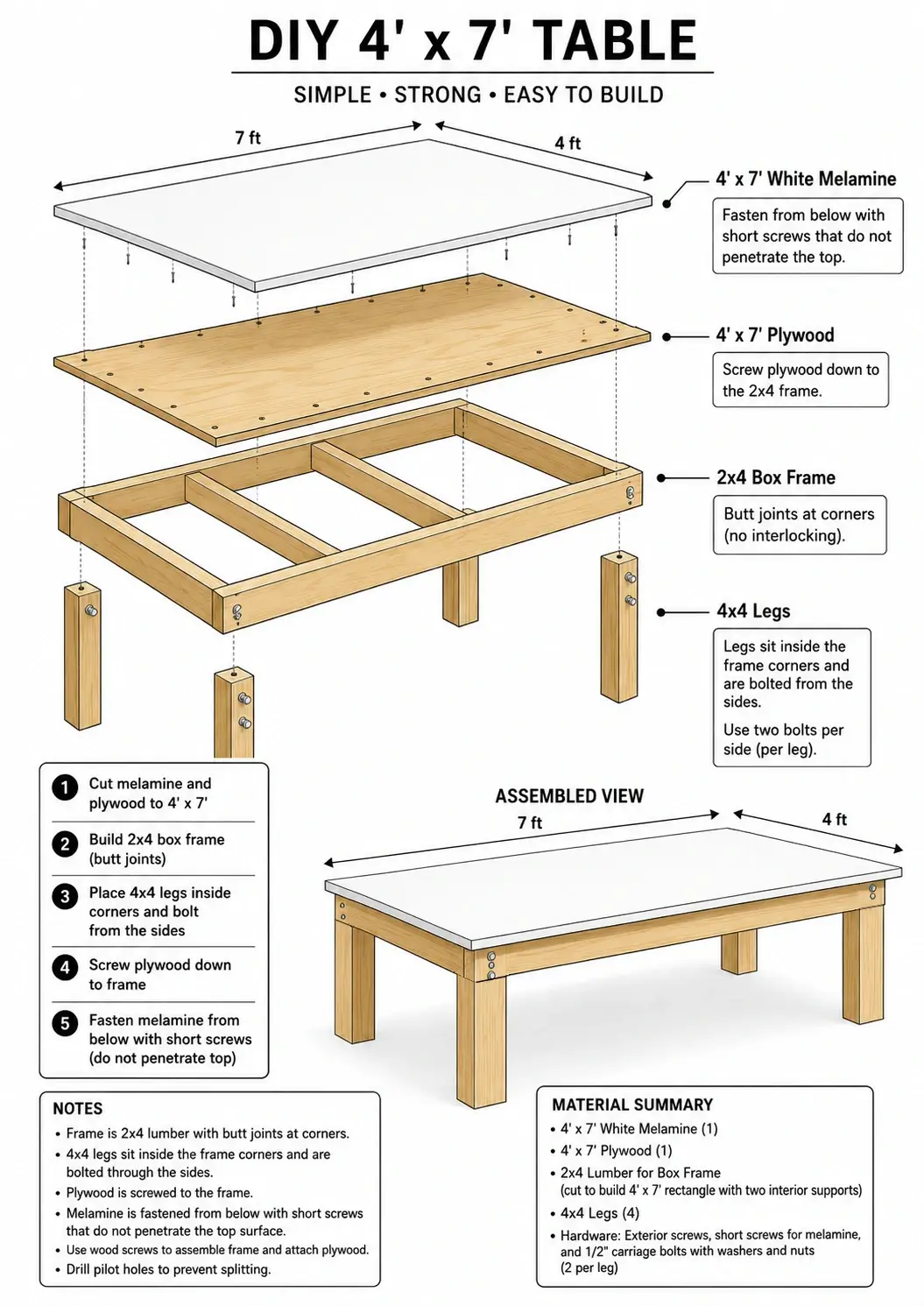
Any sturdy flat-surface table works, but stability matters. Kids lean, reach, and bump. If the table shifts during play, the projected image loses alignment with the camera. We recommend using rubber furniture grippers under your table legs. At minimum, secure your table's feet to the floor so it does not move.
For best results the table surface should be 16:9 to match the projected image.
The best surface is a simple DIY table built from a 4x7 sheet of 3/4" melamine on heavy duty legs. It should cost less than $150 USD for materials.
How difficult is the setup?
If you can mount a projector, you can set up this system. Secure the projector and camera to the ceiling above your table, connect them to your laptop, and launch the software. Our calibration wizard walks you through alignment in minutes.
Will kids get bored of the games?
With a rotating cast of birthday guests, the same kids rarely play twice, so the games stay fresh longer than you might expect. We are committed to releasing new games regularly. When available, they will be $45 USD each and install without new hardware.
How many kids can play at once?
Most games support up to 8 players simultaneously, each with their own controls and score. Cooperative games have no hard player limit beyond the space around your table, but in practice 8 active players keeps things comfortable and competitive.
What age range is it designed for?
If they can reach the table, they can play. In practice, our games are designed to engage kids and teens, with enough variety that parents often end up joining in too.
Can one license cover multiple tables or venues?
Each license is tied to a single machine at activation. If you need to move a license to another computer, submit a deactivation request from the launcher and contact support for approval. One table requires one license. If you are running multiple party rooms or venues, contact us for volume pricing.